MAC
- The MAC address is the physical address of a device
- Devices need the MAC address for communication on a local area network
- Devices use ARP to acquire the MAC address for a device
-> An IP address is used to locate a device on a network -> A MAC address is what identifies the actual device
MAC flat address: portability
- can move interface from one LAN to another
- recall IP address not portable: depends on IP subnet to which node is attached
Addressing ARP
ARP (Address Resolution Protocol) -> Used to Resolve IP addresses to MAC addresses
- Maintained by hosts and routers.
- In order to find a MAC address, computer A searches it's internal list, called an ARP cache, if computer's B IP address already has a matching MAC address
- The ARP cache is used to make a network more efficient, storing IP address to MAC address associations
- Each host/router has it's own ARP cache
- The ARP cache stores <IP address; MAC address; TTL>
-> arp -a -> Checks ARP cache
- If there is no match, computer A sends a broadcast message out on the network asking each device which computer matches the respective IP address and ask for the specific MAC address
- The computer that matches the IP address will send it's MAC address to computer A
- This info will be stored in computer A's ARP cache
- TTL(Time To Live): time after which address mapping will be forgotten (typically 20 min)
ARP entries can be:
- Dynamic -> created automatically when a device sends a brodcast message to the network; Are not permanent, flushed out periodically
- Static -> created manually, entered using ARP command utilities;
Ethernet
- “dominant” wired LAN technology
- simpler, cheap
- single chip, multiple speeds
- bus (90s): all nodes in same collision domain (can collide with each other)
- switched(prevaile today): layer-2, nodes do not collide with each other
→ connectionless: no handshaking between sending and receiving NICs → unreliable: receiving NIC doesn’t send ACKs or NAKs to sending NIC. Data in dropped frames recovered only if initial sender uses higher layer
- Ethernet’s MAC protocol: unslotted CSMA/CD with binary backoff
- many different Ethernet standards, different physical layer media: fiber, cable
Ethernet Switch
-
link-layer
-
examine incoming frame’s MAC address, selectively forward frame to one-or-more outgoing links when frame is to be forwarded on segment, uses CSMA/CD to access segment
-
transparent: hosts unaware of presence of switches
-
switches do not need to be configured
-
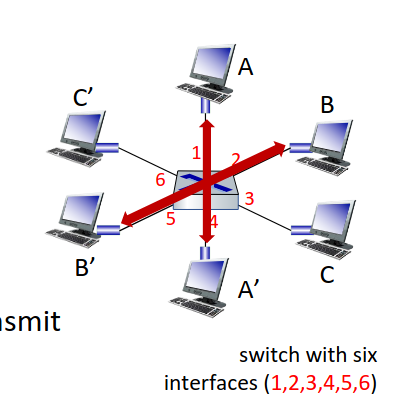
Ethernet protocol used on each incoming link, so: -> no collisions; full duplex -> each link is its own collision domain
-
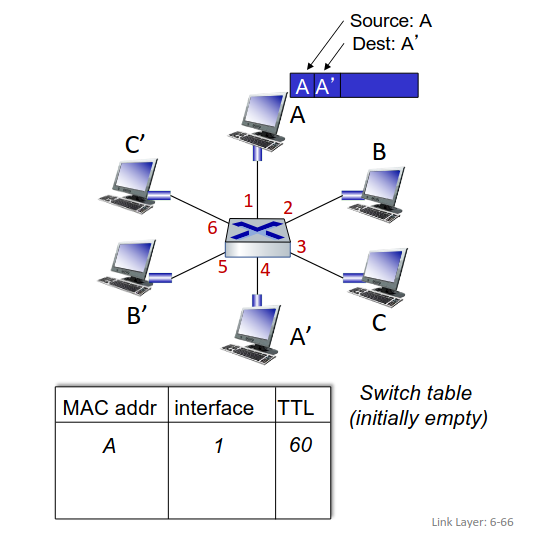
A can communicate with A' and B to B' without collisions
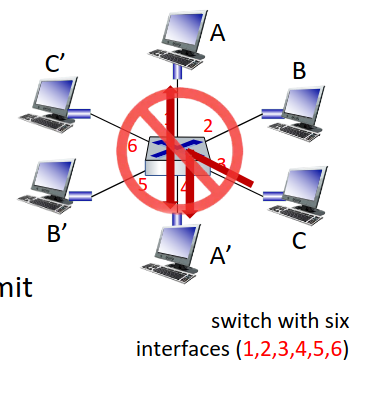
- but A-to-A’ and C to A’ can not happen simultaneously
-
Maintained by Layer 2 switches. Each switch has a switch table, each entry:
-
(MAC address of host, interface to reach host, time stamp)
-
looks like a routing table!
-
when frame received, switch “learns” location of sender: incoming LAN segment
-
records sender/location pair in switch table
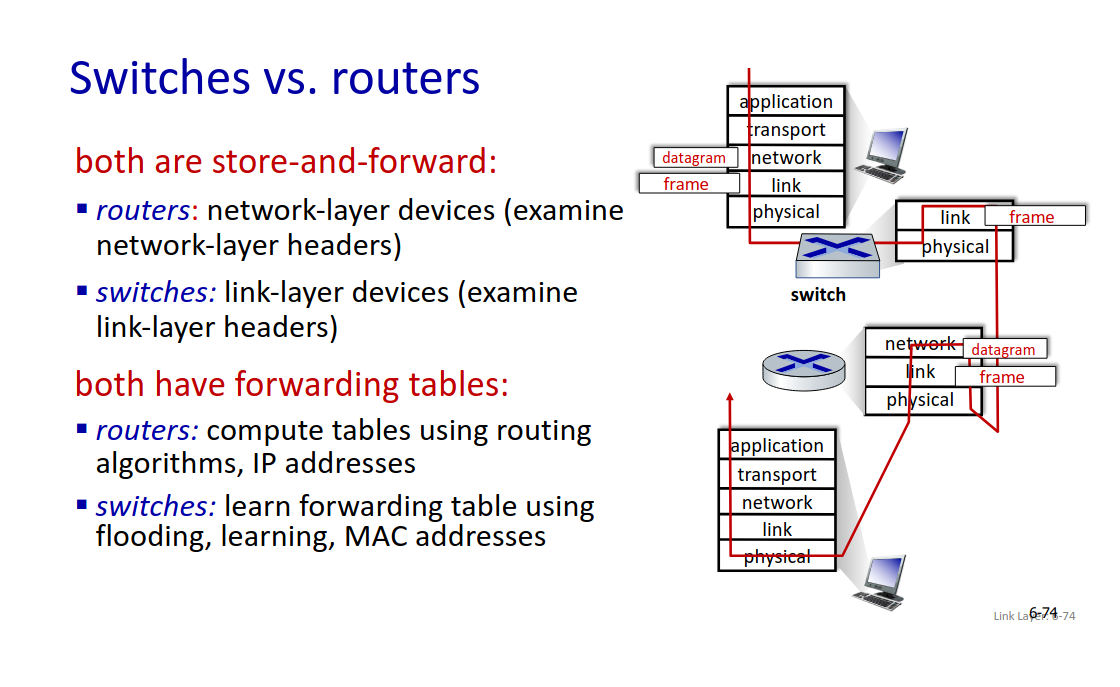
| Feature | Switch Table (MAC Table) | ARP Cache |
|---|---|---|
| Purpose | Maps MAC addresses to switch ports | Maps IP addresses to MAC addresses |
| Layer | Layer 2 (Data Link) | Layer 3 to Layer 2 resolution |
| Maintained by | Switches | Hosts and routers |
| Used for | Forwarding Ethernet frames | Resolving IP to MAC before sending |
VLANs - Virtual LANs
- switch(es) supporting VLAN capabilities can be configured to define multiple virtual LANS over single physical LAN infrastructure
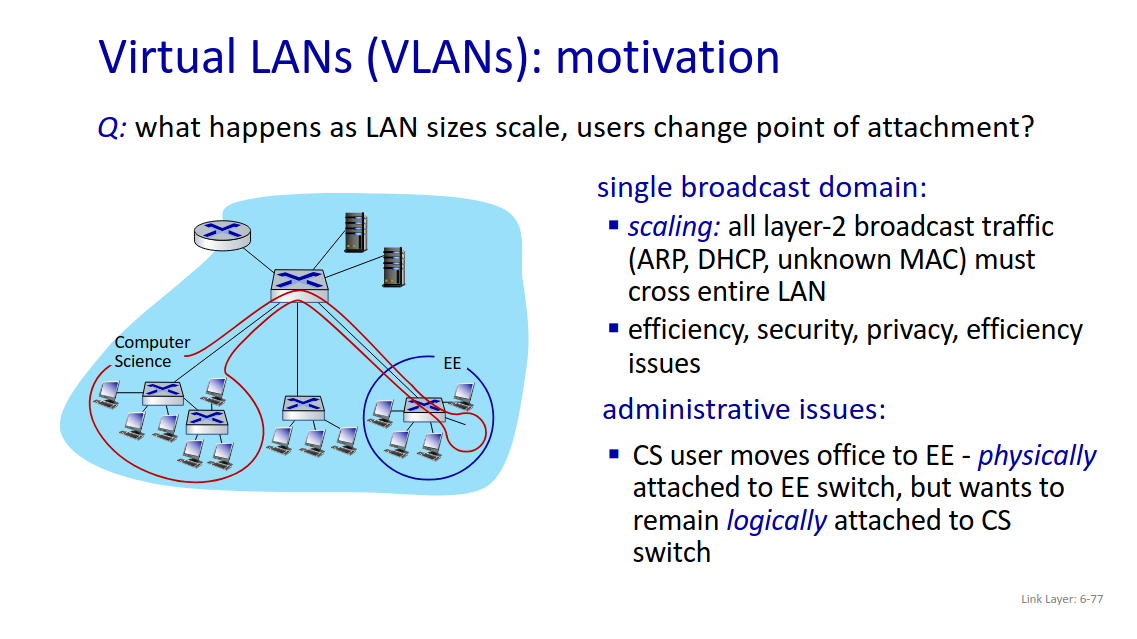
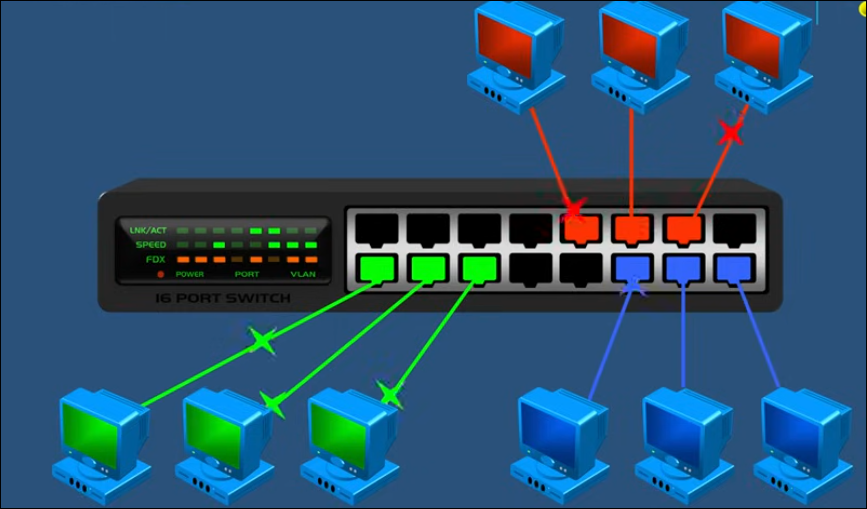
- port-based VLAN: switch ports grouped (by switch management software) so that single physical switch operates as multiple virtual switches. -> traffic isolation: frames to/from ports 1-8 can only reach ports 1-8 -> dynamic membership: ports can be dynamically assigned among VLANs -> forwarding between VLANS: done via routing (just as with separate switches)
- trunk port: carries frames between VLANS defined over multiple physical switches
- VLANS can communicate through multiple switches
| Term | Description |
|---|---|
| Trunk port | A switch port that carries traffic from multiple VLANs, not just one |
| 802.1Q tagging | Adds a small tag in each Ethernet frame that indicates the VLAN ID |
| Access port | Regular port for end devices; belongs to only one VLAN |
-
In a VLAN a computers, servers and other network devices are logically connected regardless of their physical location
-
Improve security, traffic management and simplifies a network
-
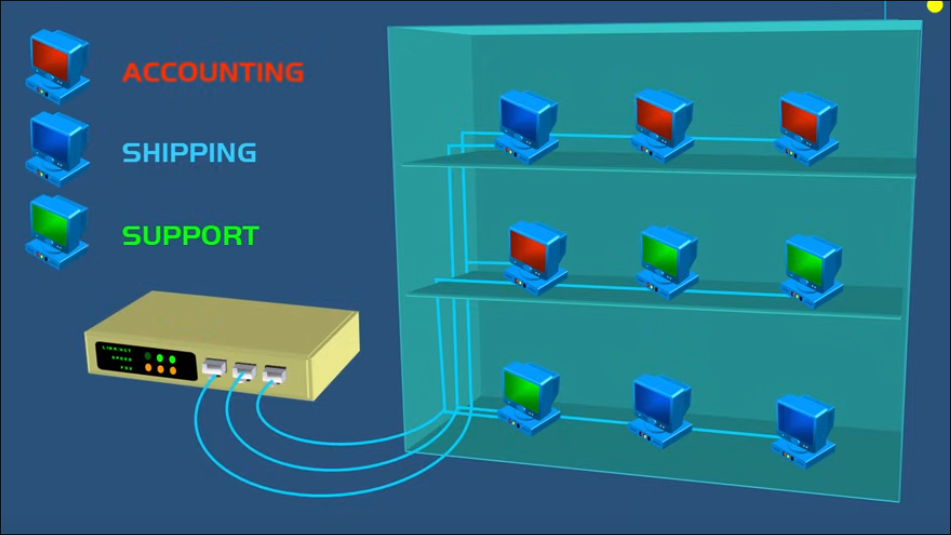
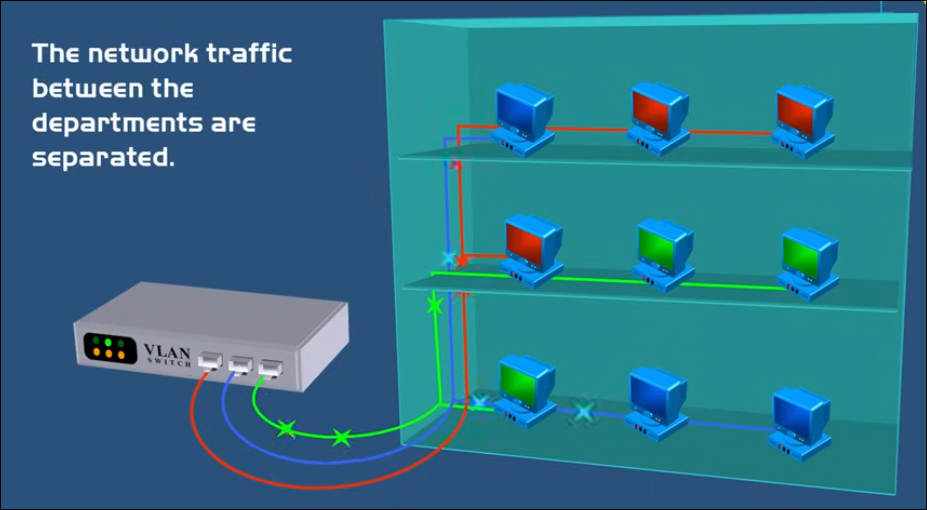
Lets suppose there is a building with 3 floors, and each floor has mixed computers that belong to different departments (accounting, shipping, support)
-
They are all connected to the same switch in a LAN
-
All network broadcast traffic are mixed in with other departments
-
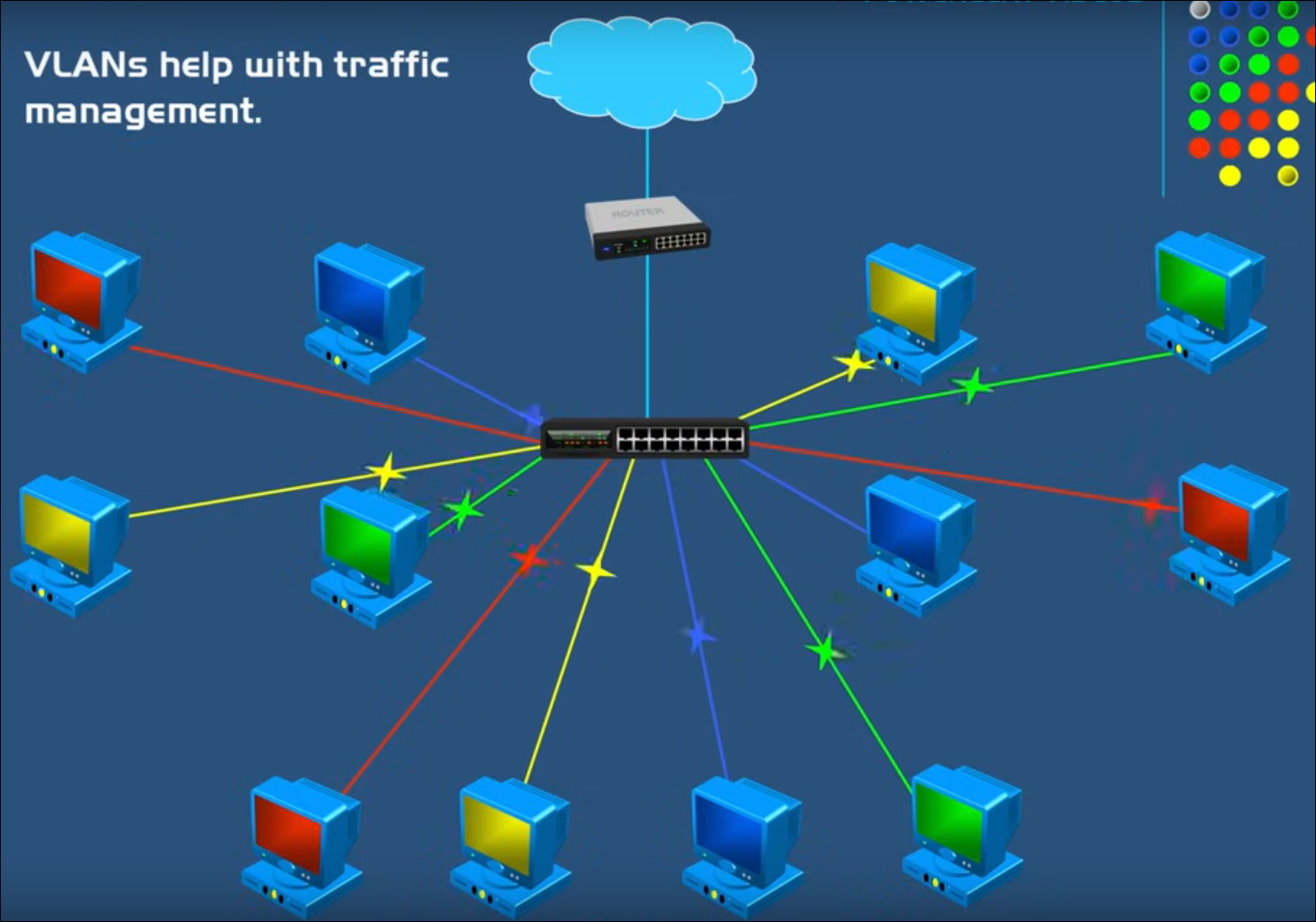
VLANS can logically create several virtual networks to separate the network broadcast traffic
-
The traffic between the 3 departments are isolated, so they can't see each others traffic even though they all share the same cabling and switch
-
This is achieved by assigning specif ports in the switch to specific VLAN
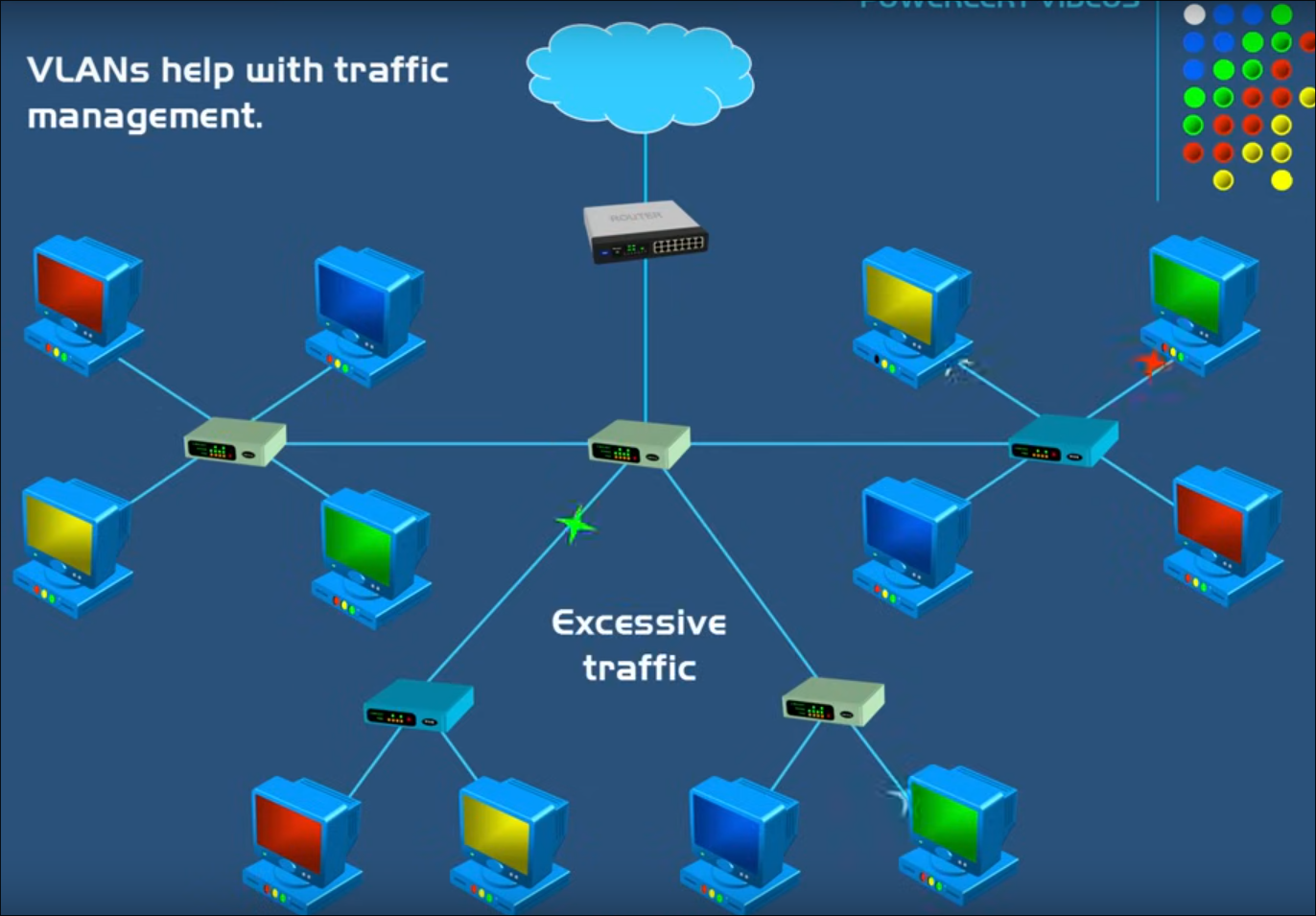
- It helps with traffic management cause as the network grows the frequency of the broadcast will also increase congestion in the network
- With VLANS we separate things into smaller broadcast domains helping alleviate the overall broadcast traffic